Assurance

Turn assurance activity into managed findings, actions, risks and leadership reporting.

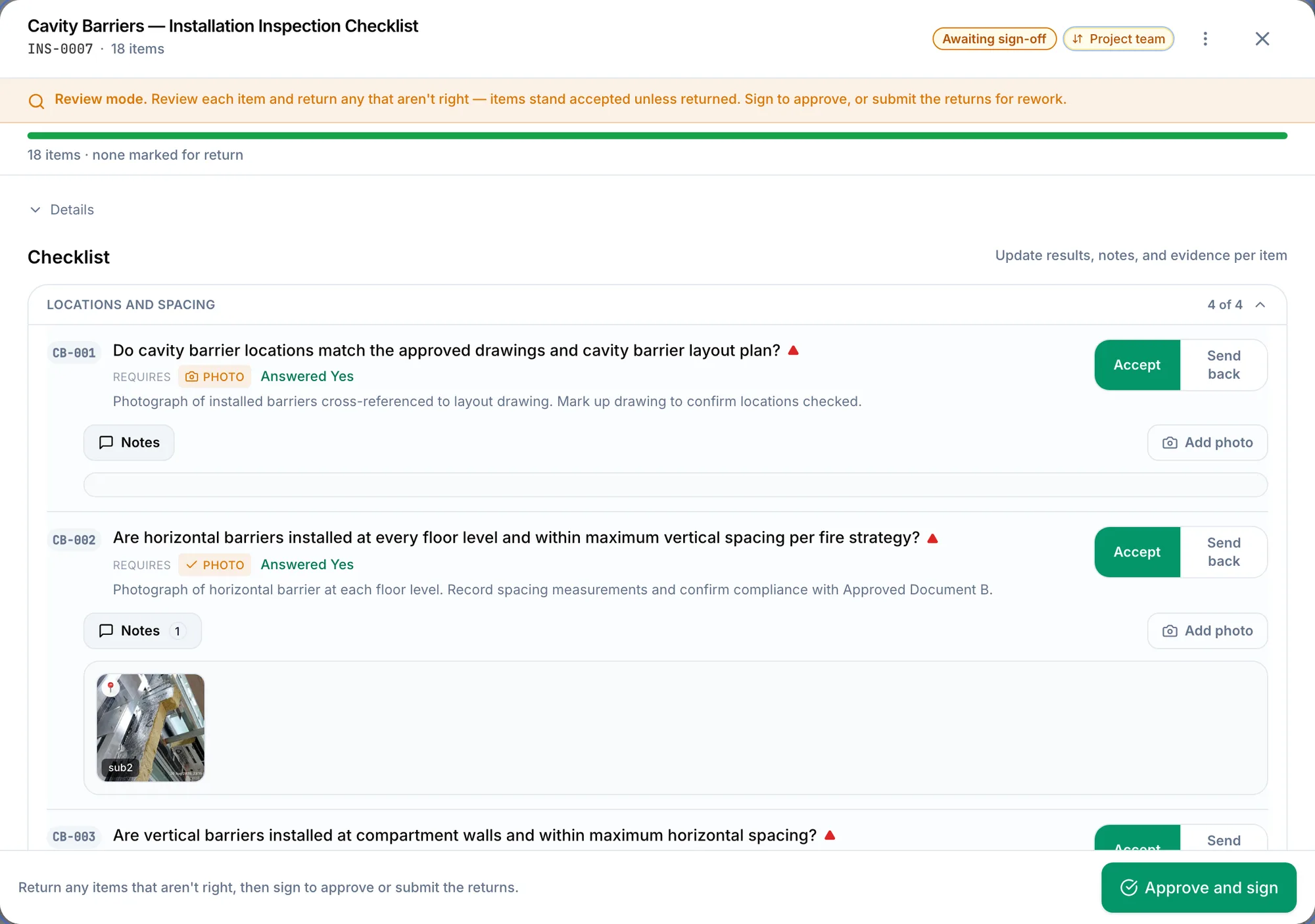
Audits run against structured templates and produce findings that someone owns. Red and Amber answers cannot be saved without evidence — a note or an attachment — enforced in the database, so the rule holds however the record is written.

Who works here

Assurance manager

Runs the audit programme and needs findings to become owned, dated actions rather than report appendices.

Every Amber and Red answer carries its evidence and its action.

Auditee / package manager

Receives findings and needs to respond with evidence without learning a new system.

External response portals take responses and evidence directly.

Project director

Reports assurance position to leadership and needs the pack to match the record.

Insight reports publish from live data and render from a locked snapshot once issued.

Audits and templates

Structured templates keep audits consistent across projects, with scoring and evidence captured as the audit runs.

  • Structured audit templates
  • RAG scoring with mandatory evidence on Red and Amber answers
  • Photo and document evidence on answers
Findings to close-out

Completing an audit raises a finding for every Red and Amber answer, ready to assign and date. Findings carry a root-cause classification and a regulatory reference, and risks can be linked to the findings behind them. External parties respond through a private link — PIN-protected when issued with the audit report — without a BuildAssure account.

  • Root-cause categories and regulatory references, seeded per organisation
  • Findings assigned to an owner with a due date
  • External response portals with evidence upload
  • Lessons learnt and good practice, with root cause and corrective action
  • Risks linked to the audit findings behind them

Leadership reporting

Board reports assemble their sections from the live assurance record rather than being typed.

  • Sections bound to assurance data, not retyped
  • AI-assisted narrative and theme clustering, reviewed before issue
  • Issued reports render from a locked snapshot; edits, re-publication and deletion are refused

From audit answer to board pack

  1. 01

    Audit

    An auditor scores an answer Amber and must add evidence — a note or an attachment — before it saves.

  2. 02

    Finding

    Completing the audit raises a finding for the answer, ready to assign an owner and a due date.

  3. 03

    Action

    The owner responds — directly or through the external portal — and close-out is an auditor’s recorded decision, with narrative and evidence.

  4. 04

    Report

    Findings, open actions and risk posture flow into the insight report, published as a locked snapshot.

See how BuildAssure would structure one of your live work packages.

Bring a package name, an ITP or a project specification. We will show how BuildAssure turns it into a controlled project workflow.